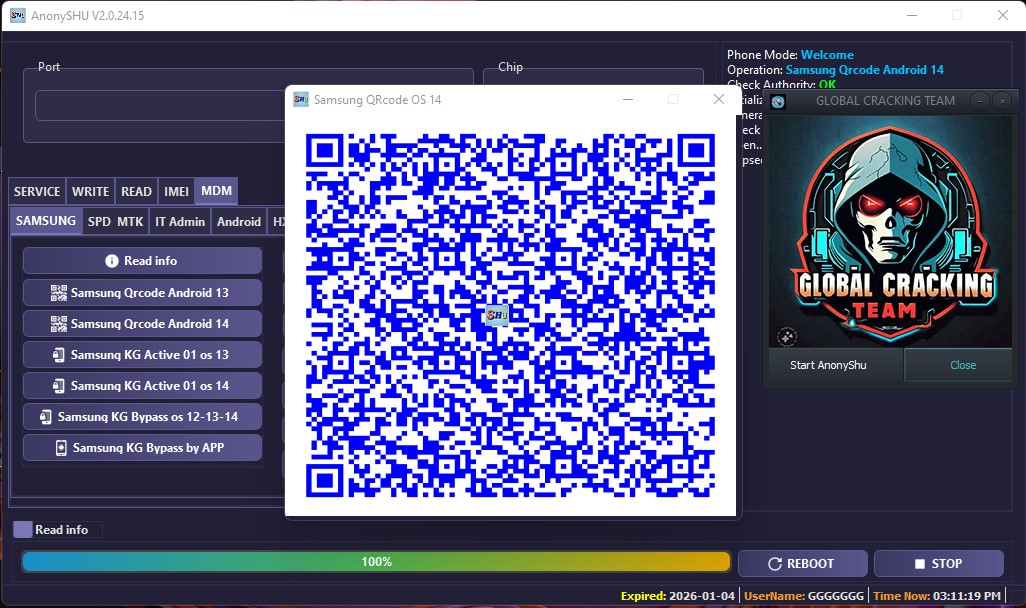
What is Anony Shu MDM Tool?
Anony Shu MDM Tool is a powerful mobile unlocking software designed to remove MDM (Mobile Device Management) locks from smartphones and tablets. It is a must-have tool for technicians and professionals who deal with enterprise-locked devices, allowing them to bypass security restrictions, reset devices, and restore full functionality. Whether you’re handling Samsung, Apple (iPhone/iPad), or Android MDM locks, this tool provides an efficient and safe solution.
Key Features of Anony Shu MDM Tool
✅ MDM Lock Removal – Instantly bypass corporate MDM restrictions.
✅ FRP Bypass – Remove Google Factory Reset Protection (FRP) lock with ease.
✅ iCloud Bypass (For iOS Devices) – Disable MDM restrictions on Apple devices.
✅ Factory Reset Protection (FRP) Removal – Unlock Samsung and other brands quickly.
✅ No Root Required – Perform operations without rooting the device.
✅ Unlock Remote Management Lock – Bypass enterprise mobile management (EMM) restrictions.
✅ Fast & Secure Unlocking – No risk of damaging the device.
✅ User-Friendly Interface – Simple dashboard for easy operation.
Supported Brands & Devices
Anony Shu MDM Tool supports a wide range of devices, including:
Supported Operating Systems:
✔ Android (Samsung, Xiaomi, Vivo, Oppo, Huawei, Realme, and more)
✔ Apple iOS (iPhones & iPads with MDM lock)
Brands Supported:
✔ Samsung
✔ Apple (iPhone/iPad)
✔ Xiaomi
✔ Vivo
✔ Oppo
✔ Huawei
✔ OnePlus
✔ Nokia
✔ Motorola
✔ Tecno
✔ Infinix
✔ Lenovo
✔ And many more!
Why Choose Anony Shu MDM Tool?
🔹 Regular updates with the latest device support.
🔹 100% safe and tested tool for professional use.
🔹 No complex steps – simple one-click unlocking.
🔹 24/7 customer support for troubleshooting and assistance.
Download And Istall Instructions:-
1- Download the software using the Download button above.
2- Install the software.
3- If you have already purchased a license, activate the software using the activation key and paste the license key into the software’s location file. Your software is now 100% ready to use. Run the loader and do your job.
4-If you haven’t purchased a license yet, contact the Admin at the mentioned number above or reach out to any authorized GCT reseller to buy your license.
Thanks & Regards,
Team GCT